Product Designer
Calendars.
A comparative usability analysis of the Apple and Google calendar apps on iOS.
- Scope
- UX Research & Statistical Analysis
- Team
- Solo
- Duration
- 4 months
- Platform
- iOS
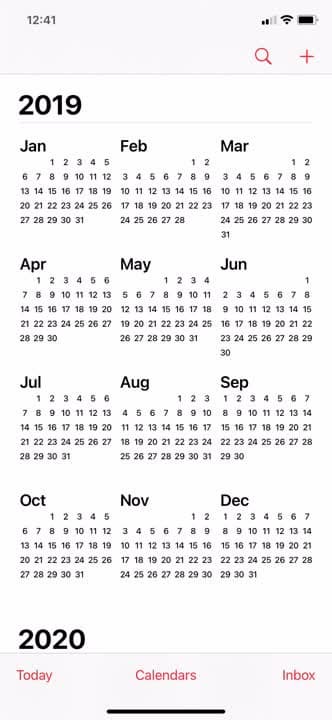
 Apple Calendar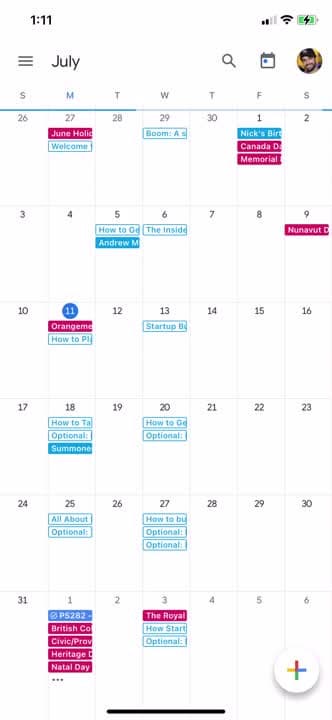
 Google Calendar
Which mobile calendar is actually more user-friendly?
As a student frustrated by calendar usability, I formally analyzed Google Calendar and compared it with Apple’s Calendar for a UX research course. The goal was to determine which was more user-friendly using a mix of UX research methods to identify usability issues.
Four iPhone users participated in remote experiments over Discord mobile screen-share, with data collected and analyzed in Google Sheets. Despite predicting Apple’s native advantage, I hypothesized that Google’s iOS Calendar would be the more user-friendly application, given its higher monthly usage.
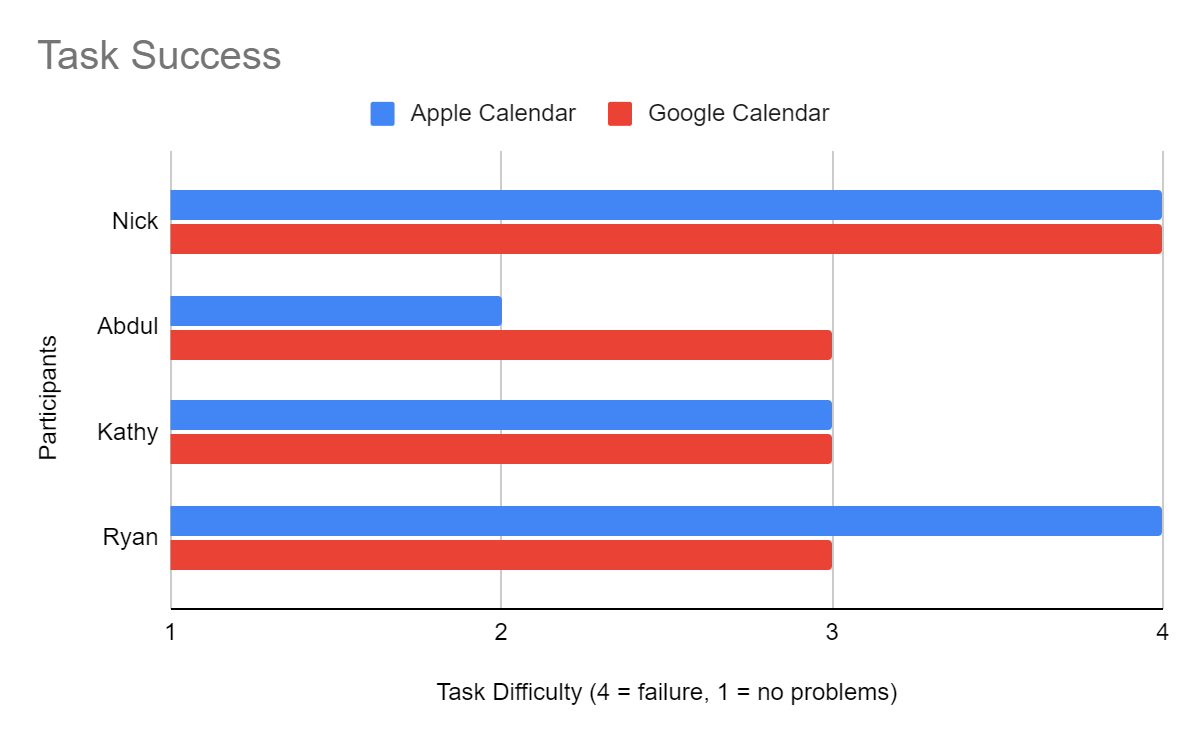
Basic scheduling: creating a recurring event.
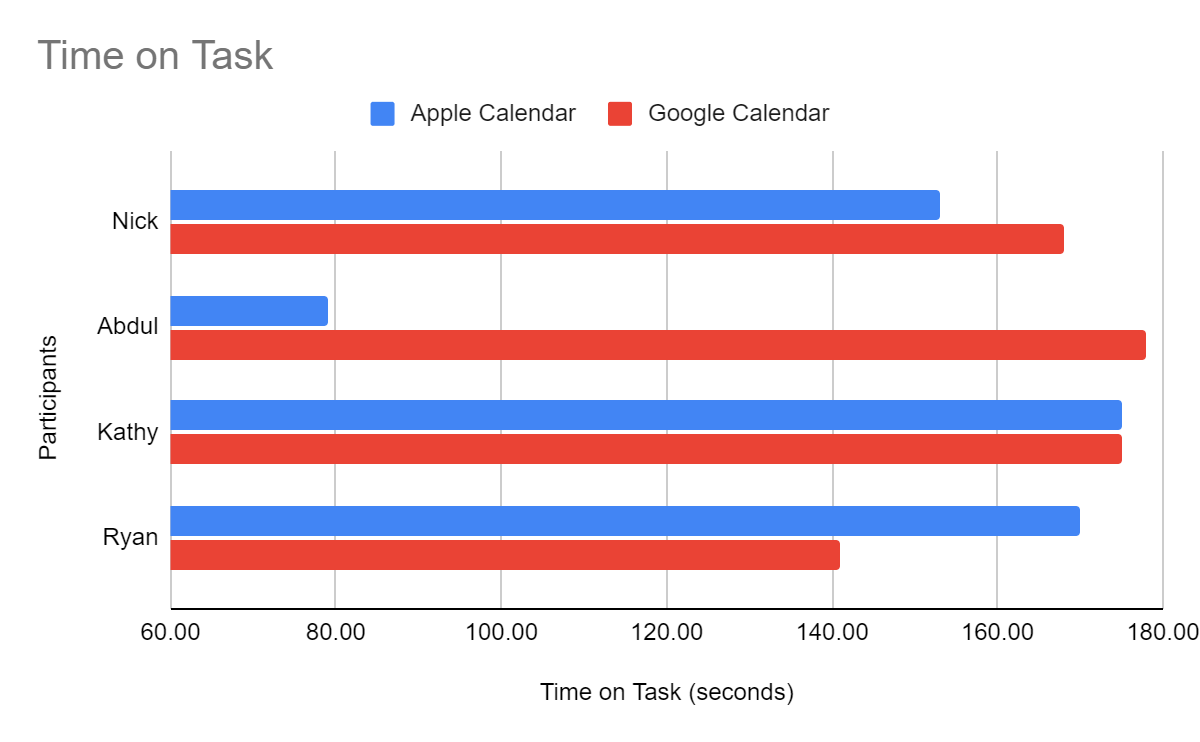
Participants created a recurring “Psychology 101” event for specific days and times with reminders. I hypothesized Google would achieve higher task success and require less completion time. Neither held: task success showed no significant difference (α = 0.65), nor did time on task (α = 0.41).
Both apps proved equally problematic. Users struggled to set multi-day recurring events — particularly not recognizing they needed to select “weekly” before choosing specific days. My recommendation: display a row of the seven days of the week as buttons that can each be selected or deselected, alongside the existing options.
Multi-user scheduling: inviting guests to a meeting.
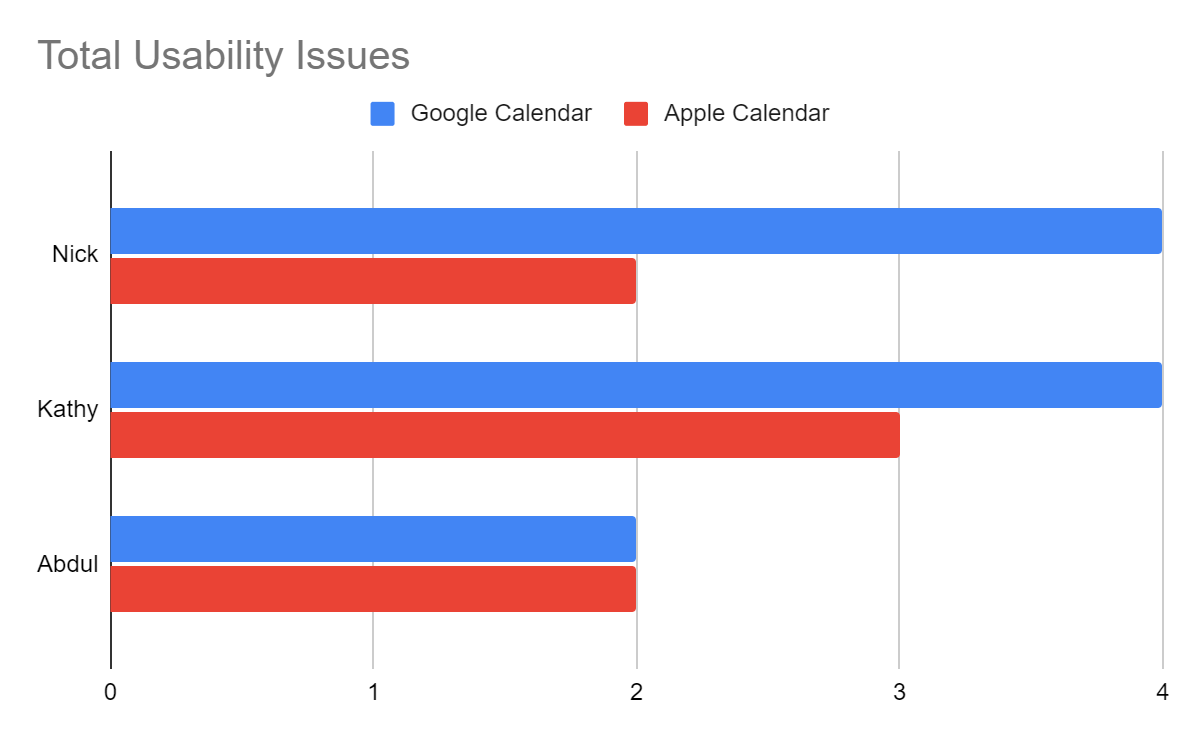
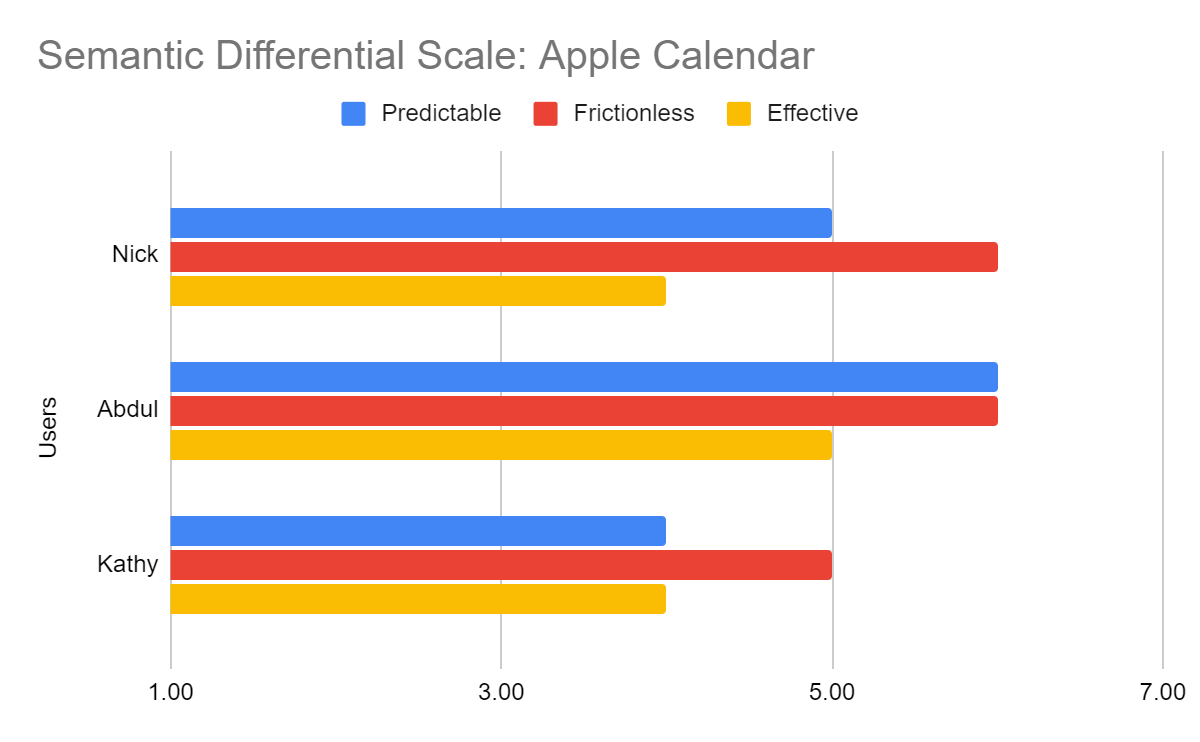
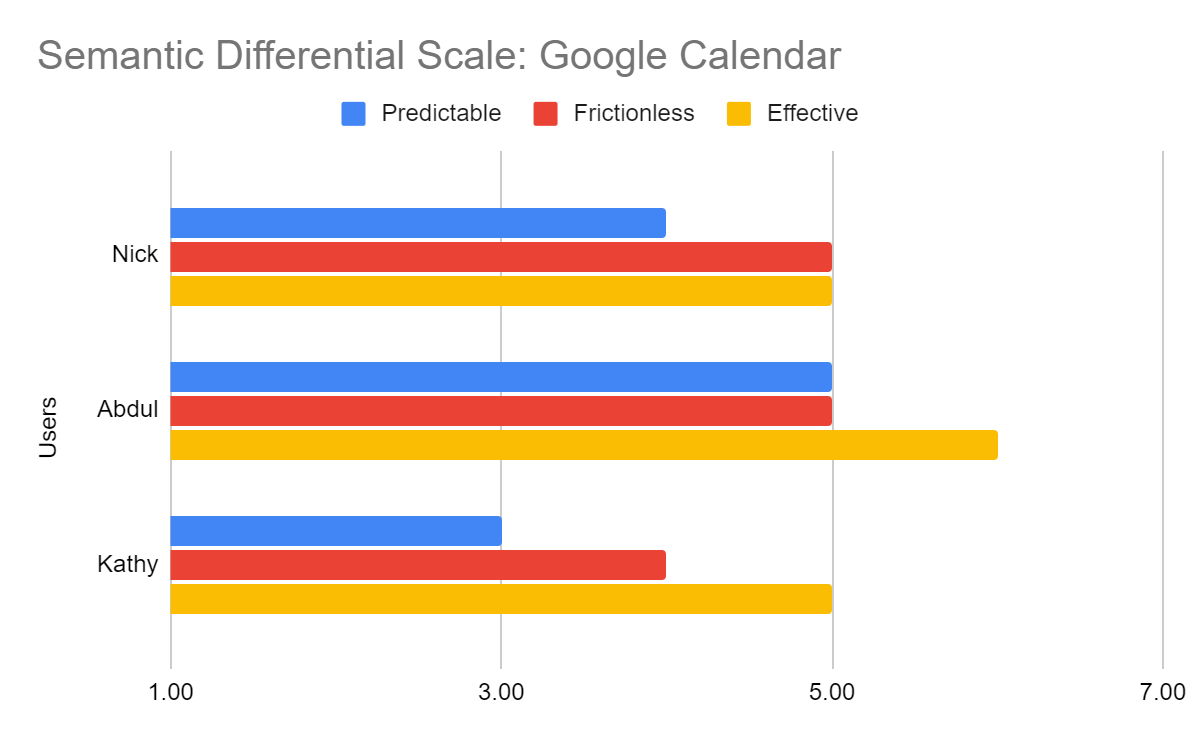
Participants created a “Meeting” for March 29 at 3:00pm EST, invited a guest by email, and indicated a Zoom preference. I hypothesized Apple would have more unique usability issues and lower satisfaction — but found no significant difference in unique issues (α = 0.25), Semantic Differential satisfaction (α = 0.92), or After-Scenario Questionnaire satisfaction (α = 0.90).
Users preferred Google’s visual design yet reported lower overall satisfaction; Apple offered less functionality but users appreciated its simplicity. Both apps confused guest search (users searched by name when emails were required) and timezone selection (no simple EST/PST abbreviations), and Apple’s missing invite function had no explanatory messaging.
 Apple Calendar
 Google Calendar
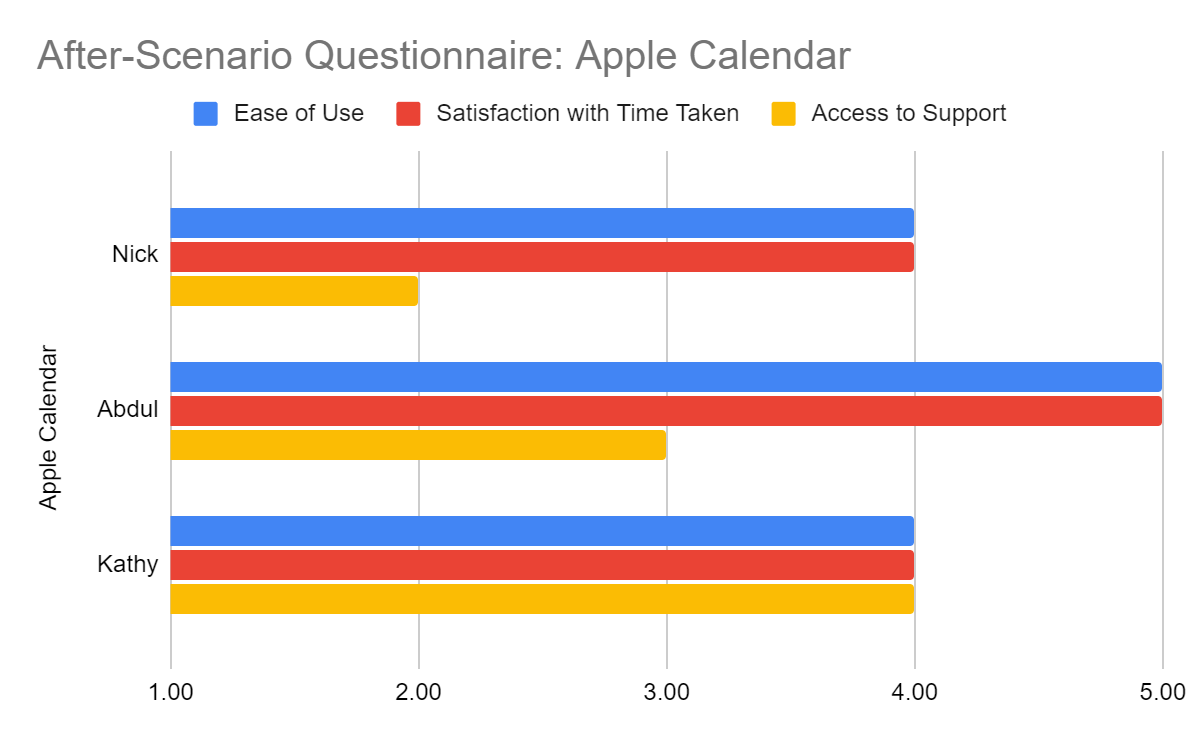 Apple Calendar
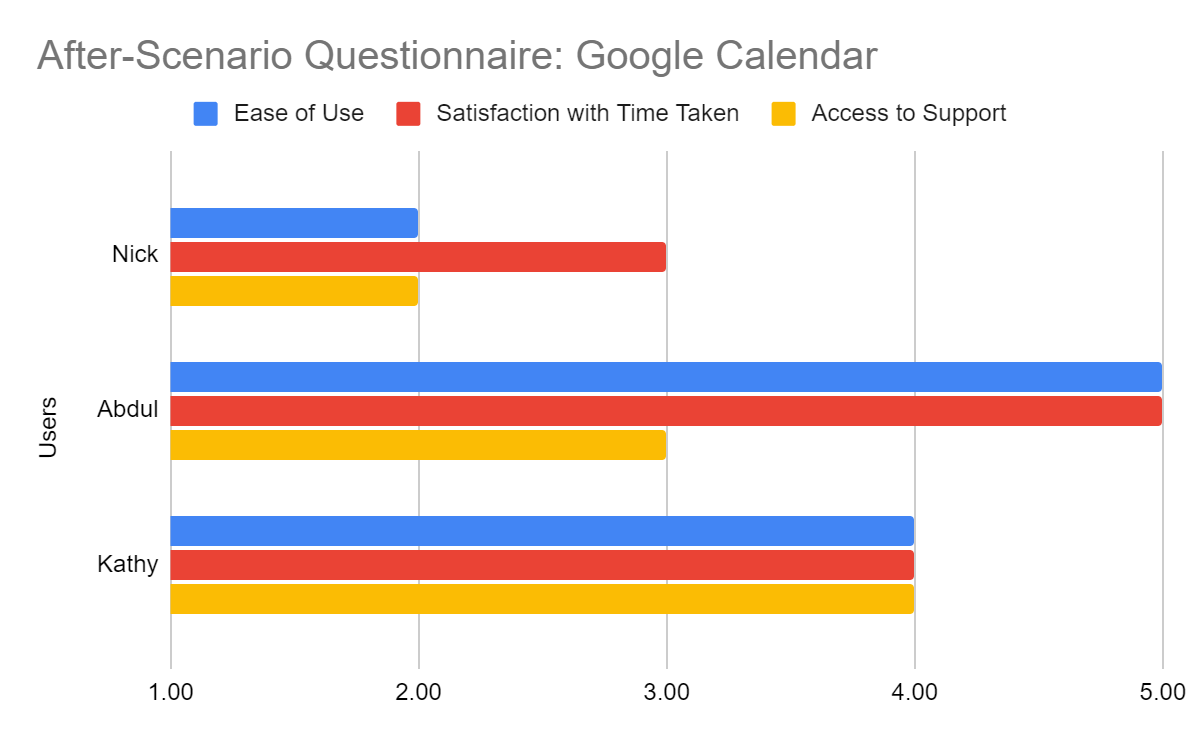 Google Calendar
Calendar views: creating and navigating sub-calendars.
Participants created “Work” and “Play” calendars, then viewed both in December 2021’s monthly view. Apple’s positive-to-negative comment ratio (2:0) far exceeded Google’s (1:5). Google Calendar lacks iOS functionality for creating new calendars, and its time navigation and view-switching (day/week/month/year) proved unintuitive.
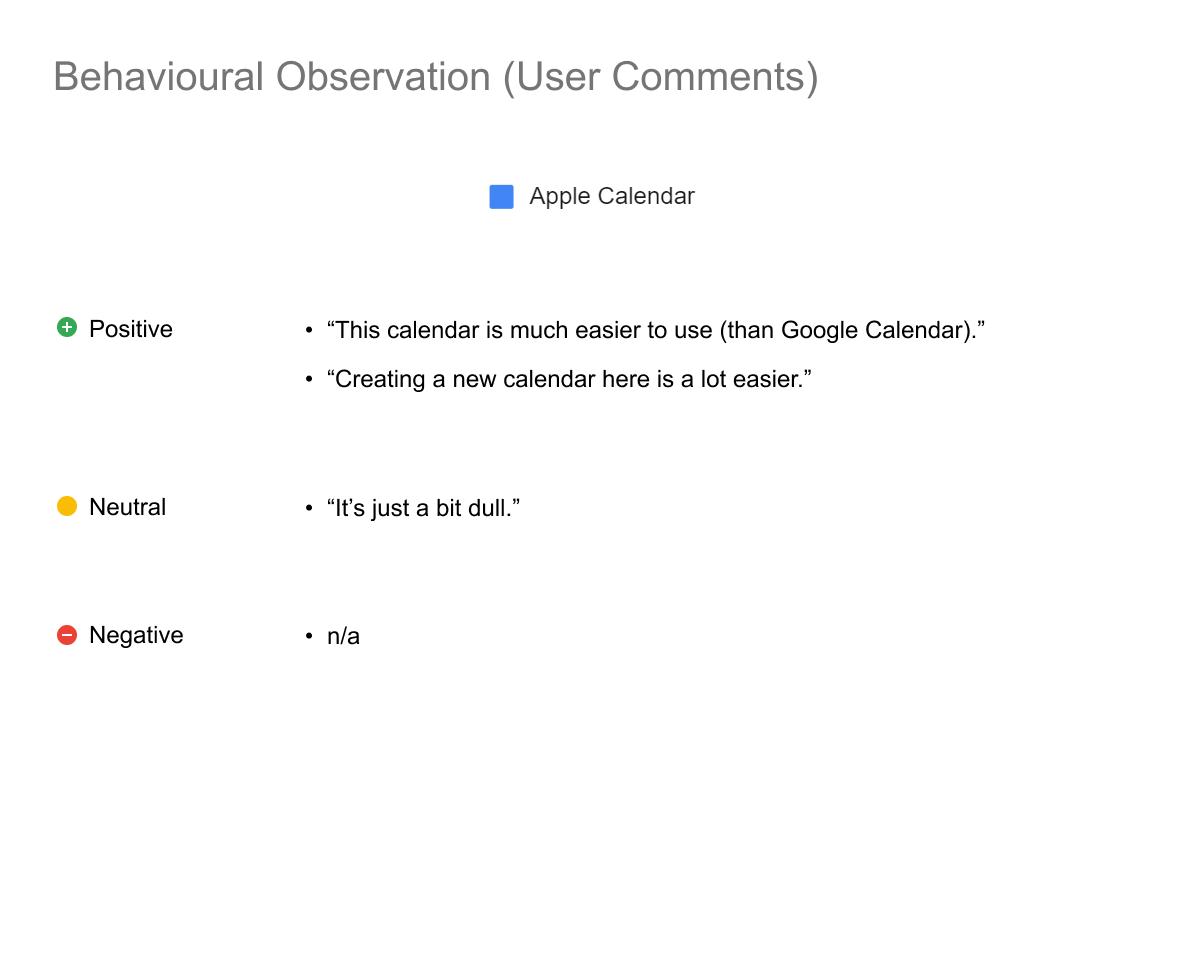 Apple Calendar
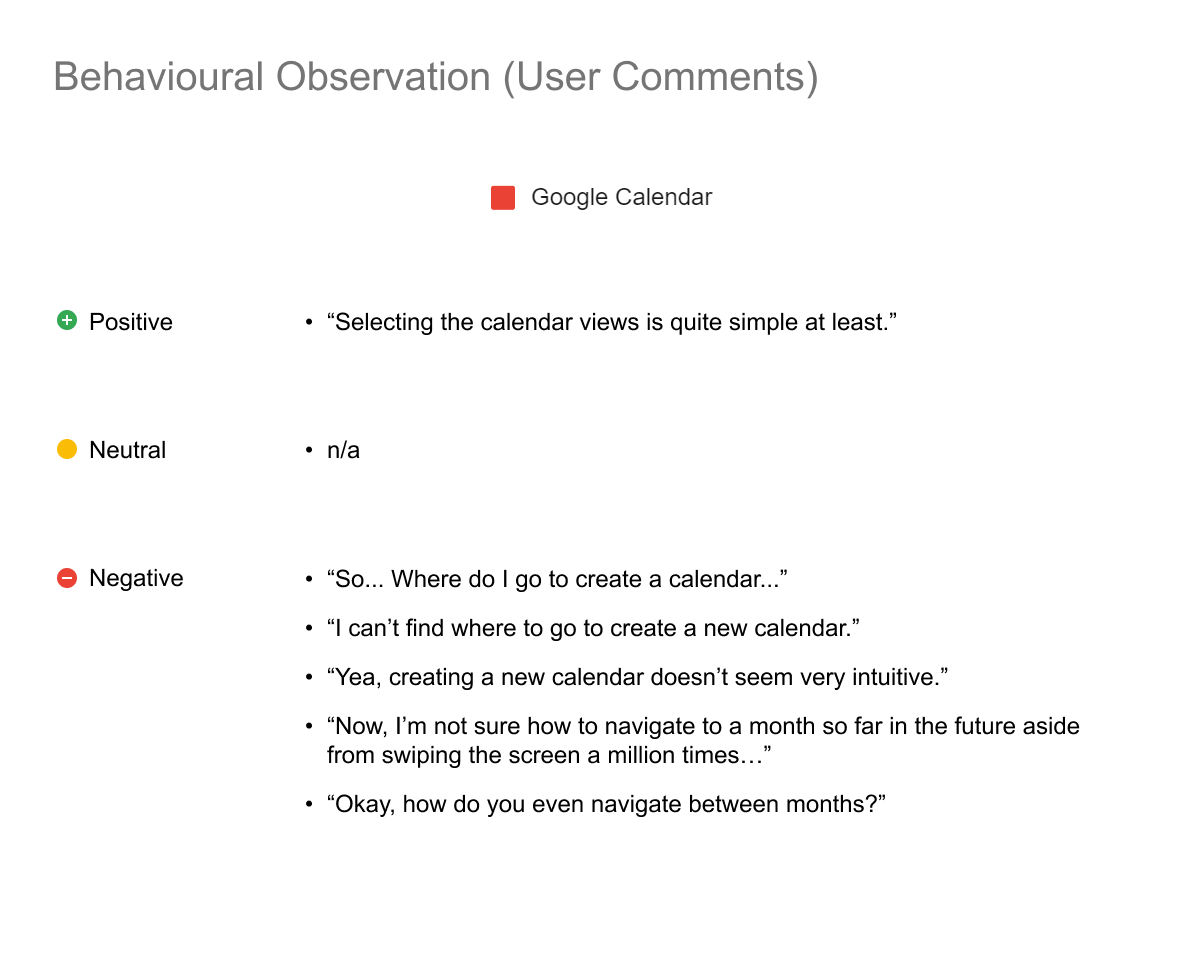 Google Calendar
Apple wins on the quality of what exists.
Google Calendar scored a combined usability of 43.7% to Apple’s 39.4%. Though this supported my initial hypothesis favoring Google, I argue Apple’s Calendar was superior — its usability flaws mostly result from missing features, whereas Google’s had issues with existing features.
On bias: I may have overestimated mobile calendar capabilities given my predominantly desktop-based usage, but I maintain reasonable expectations for what a modern mobile calendar should do.